Reports desk
Find the answers you saved from the Analytics, SEO and Technical SEO desks, rename them, save them as files or delete them.
A report is an answer you chose to keep. Chats are for exploring. Reports are for the findings that matter, so you can come back to them, share them or act on them later.
Nothing is saved as a report unless you ask for it.
Reports live on their own desk, Reports, in the sidebar. The Analytics, SEO and Technical SEO desks can all save to it. On the Analytics desk there is a Save as report button. On the SEO and Technical SEO desks, ask in words, for example "save this as a report".
What a report contains
Meelu writes each report as a short, self-contained page. It has:
- A short title that names the question.
- The finding and the numbers behind it.
- The charts from the answer.
- A note on where the data came from and the date range it covers.
A report holds the numbers from the moment you saved it. It does not update itself when new data comes in. To get fresh numbers, ask the question again in a chat.
Save an answer as a report
Get an answer you want to keep
Ask your question in an Analytics chat in the desktop app. See Asking questions.
Click Save as report
Under Meelu's latest answer, click Save as report. Your chat shows the message "Save this as a report".
Allow the save
Meelu asks for permission before it saves. Click Allow. If you click No, nothing is saved.
Open the report
Meelu confirms the save in the chat. Click Reports in the sidebar to see it at the top of the list.
Ask for changes in words
You can also ask in the chat, for example "save the forecast as a report" or "add the mobile numbers to the report on signups". Meelu can change a saved report when you ask it to, and it asks for permission first.
The reports list
Click Reports in the sidebar. The page lists every report for this website, newest first. Each row shows the report title, the desk that saved it and when it was last changed. Click a row to open the report.
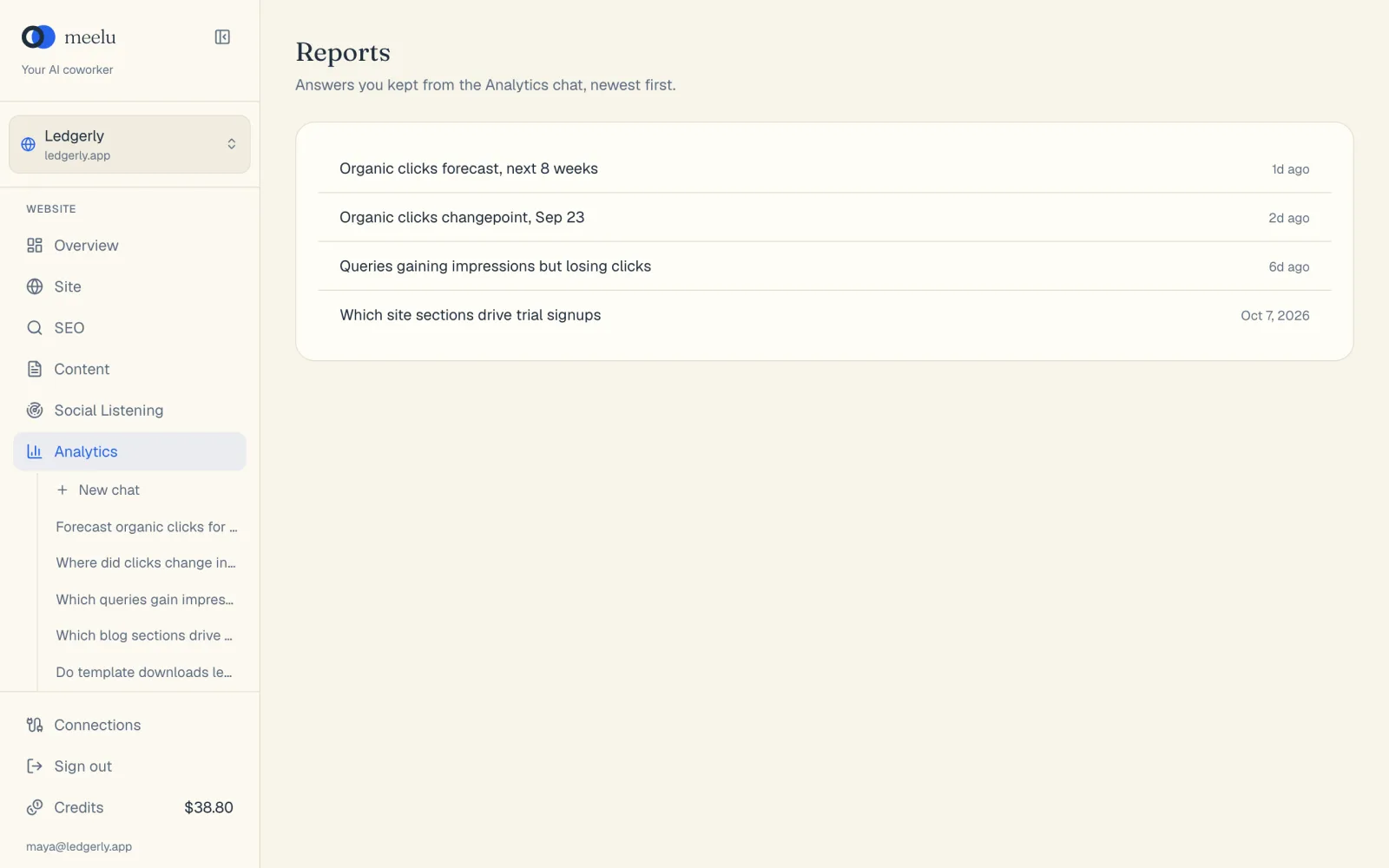
The list works in the desktop app and on the web.
If you have no reports yet, the page says No reports yet and tells you how to make one.
What each button does
| Button | What it does |
|---|---|
| All, Analytics, SEO, Technical SEO | Shows only the reports saved from that desk. |
| Search box | Finds reports by title. Press Enter to search; the cross clears it. |
| A report title | Opens that report. |
| Previous | Shows the previous page of reports. Only shows when you have more than 20 reports. |
| Next | Shows the next page of reports. Only shows when you have more than 20 reports. |
The report page
The report page shows the report title at the top. Under the title, you see the desk that saved it, when it was saved, when it was last changed, and who made it. Below that is the report itself, with its text, tables and charts.
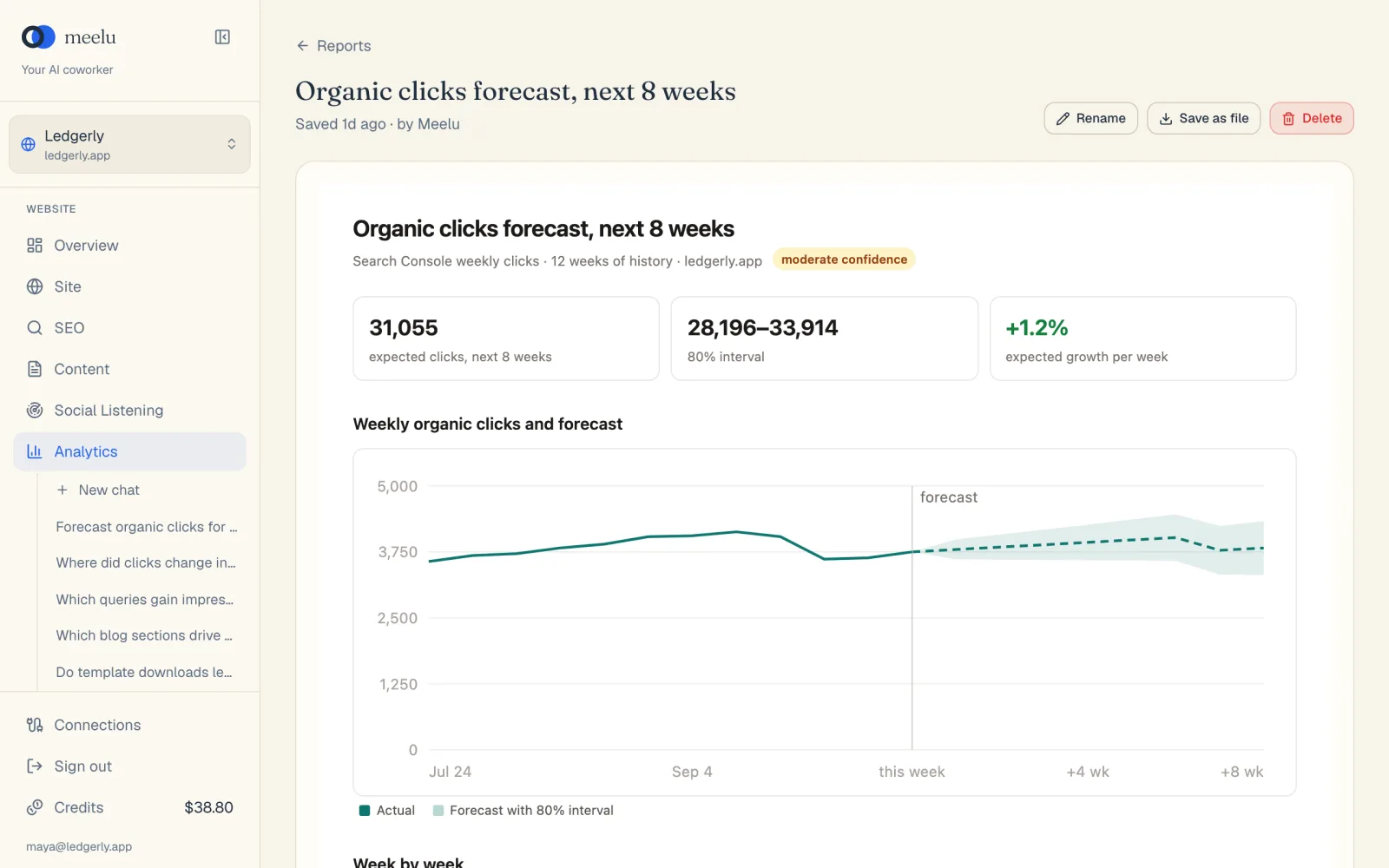
- 1Rename the report
- 2Save the report as a file
- 3Delete the report
What each button does
| Button | What it does |
|---|---|
| Reports (back link) | Goes back to the reports list. |
| Ask Meelu (sparkle icon) | Opens a task about this report. Ask a question about it, or say how to change it. Meelu asks before it changes the report. Desktop app only. |
| Rename | Opens a box where you change the report's title. |
| Save as file | Saves the report as an HTML file on your computer. You can open it in any web browser or send it to someone. |
| Delete | Deletes the report, after you confirm. |
Rename a report
Click Rename
On the report page, click Rename. The Rename report box opens.
Type the new title
Change the text in the Title field.
Save
Click Save. Click Cancel to close the box without a change.
Save a report as a file
Click Save as file. In the desktop app, choose where to save it. Meelu then shows where it saved the file. In a web browser, the file downloads like any other download. The file name is the report title.
The file is one page with everything inside it. It works without Meelu and without an internet connection.
Delete a report
Click Delete
On the report page, click Delete. A box asks Delete this report?
Confirm
Click Delete to remove it, or Cancel to keep it. You go back to the reports list.
Deleting cannot be undone
A deleted report is gone for good. If you might need it later, click Save as file first. The chat the report came from stays in the sidebar.