Run your first crawl
Let Meelu read your website so every desk has something to work with.
A crawl is when Meelu visits your website and reads its pages one by one, the way a search engine does. Until the first crawl finishes, most desks have nothing to show. The crawl runs from your own computer and uses no credits.
Start the crawl
Open the Site desk
Click Site in the sidebar. Right after you add a website, Meelu opens this desk for you. It says This website has not been read yet.
Click Crawl website
The button is at the top right of the Site desk, and also in the middle of the empty screen.
Keep Meelu open while it runs
A progress bar shows what the crawl is doing. You can use other desks while it runs, but keep the app open. A small site takes a few minutes. A site with thousands of pages takes longer.
Look at what it found
When the crawl ends, the Site desk shows six numbers: Sitemap coverage, Broken, Not in sitemap, Orphans, Unreachable and 4+ clicks deep. The Pages, Internal links and Technical SEO sections fill in too.
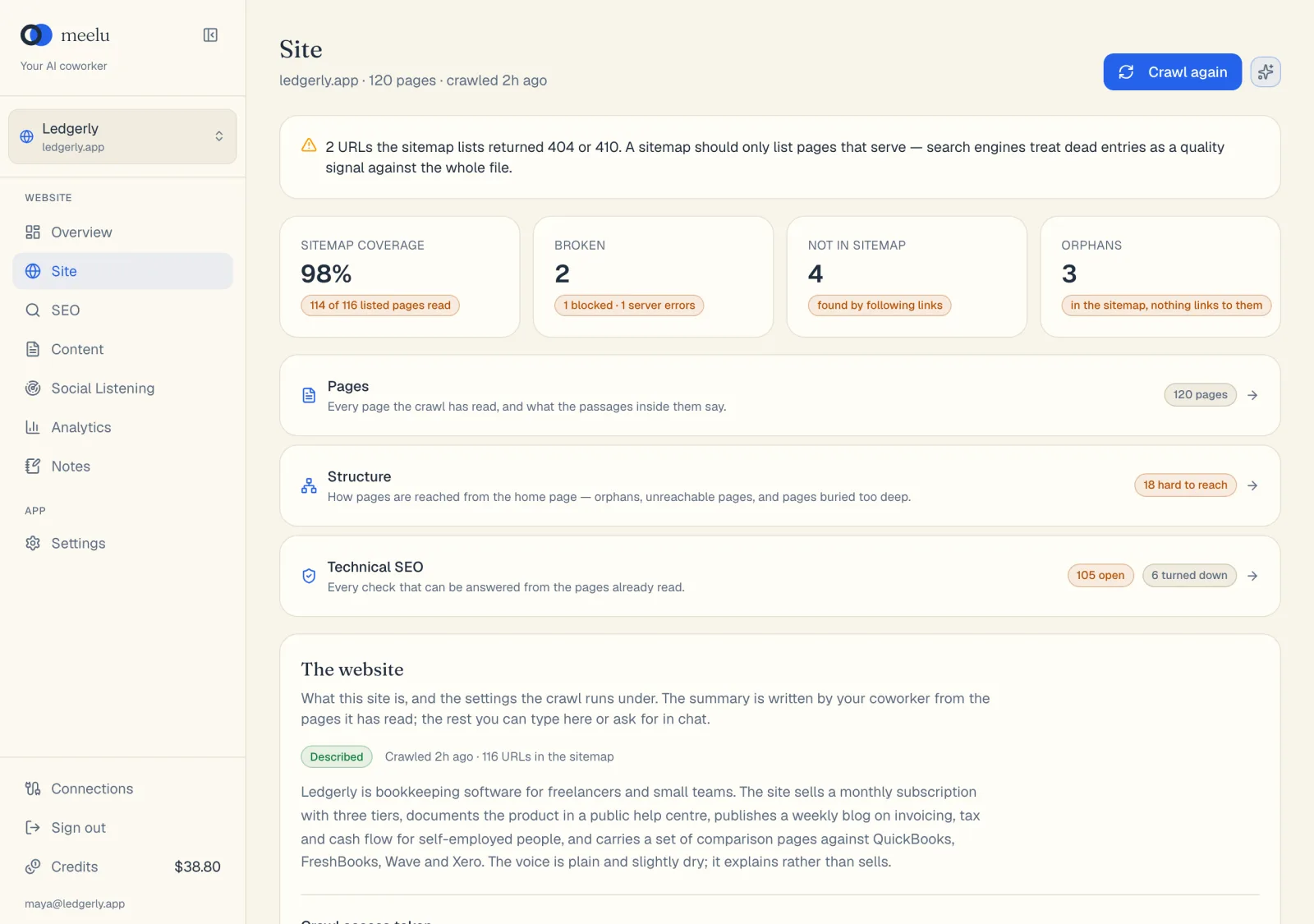
- 1Crawl again reads the whole site again
- 2Ask Meelu opens ready-made questions for this desk
- 3Pages lists every page the crawl read
- 4Internal links shows link and pillar page suggestions
- 5Technical SEO lists technical problems
What the progress bar says
| Message | What is happening |
|---|---|
| Reading the sitemap and robots.txt | Meelu reads your sitemap (the file that lists your pages for search engines) and your robots.txt (the file that tells crawlers what they may read). |
| Reading the pages the sitemap lists | Meelu reads every page your sitemap lists. |
| Following links the sitemap did not list | Meelu follows links on your pages to find pages the sitemap missed. |
| Stopping — the pages already read are kept | You clicked Stop crawl. Nothing already read is lost. |
If something goes wrong
After the first crawl
While the app is open, Meelu crawls each of your websites again about once a day, so the desks stay current. Click Crawl again yourself after you change your site, for example after you publish a page or fix broken links.
For everything about crawling, including limits and pages Meelu skips, see Crawling your site.
What each button does
| Button | What it does |
|---|---|
| Crawl website | Starts the first crawl of this website. |
| Crawl again | Starts a new crawl of a website that has been crawled before. |
| Stop crawl | Stops the crawl and keeps the pages already read. |
| Use this sitemap | Crawls using the sitemap address you pasted, and remembers it. |