Websites
Add, switch between and delete websites, and what a paused website means.
You manage websites from the website switcher at the top of the sidebar. Each website has its own pages, Google data, content, notes and saved prompts. Your profile is shared across all of them.
Switch website
Click the switcher. It shows the current website's name and domain. Pick another website from the list. Meelu opens that website's Overview desk.
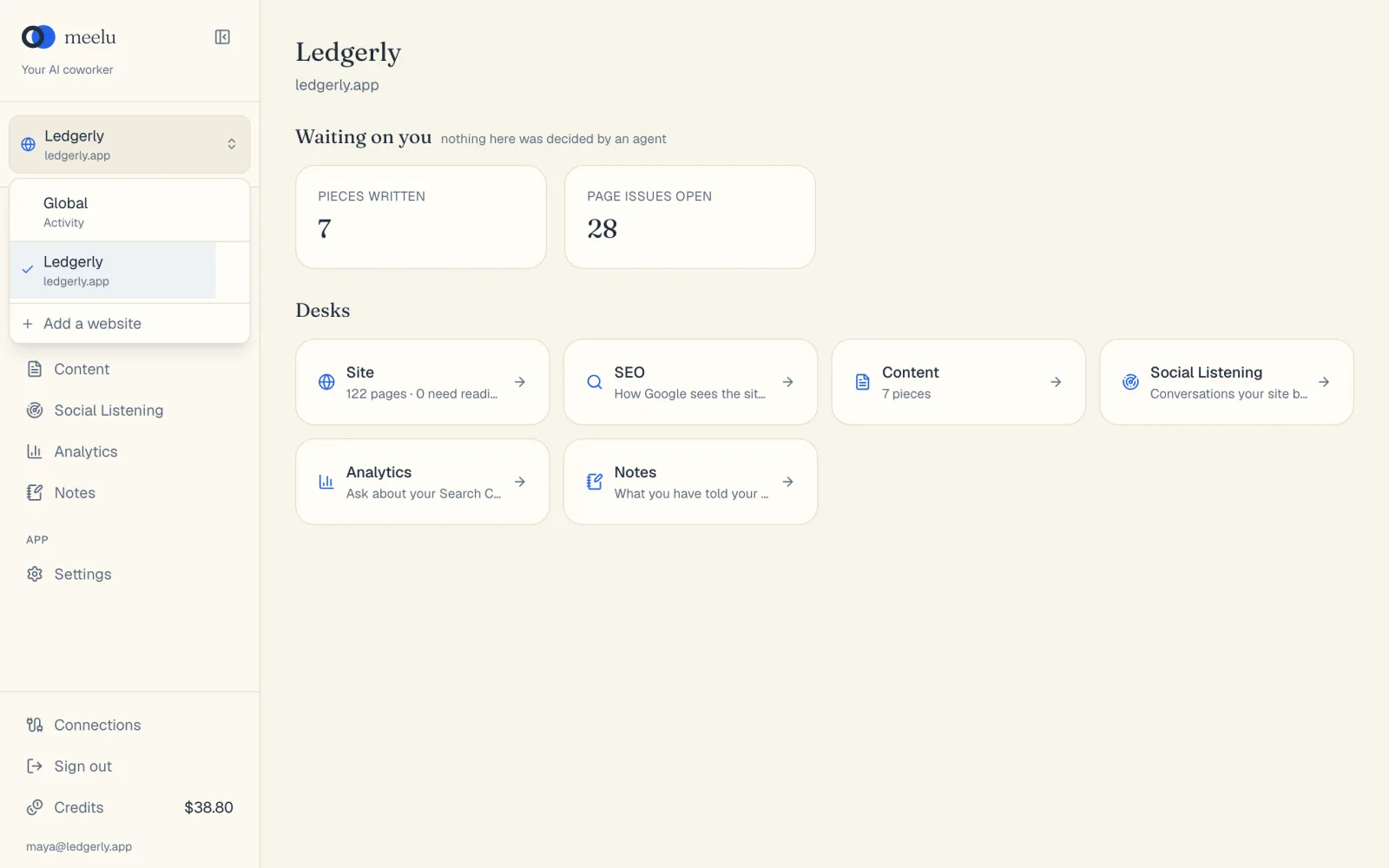
The list also has Global. Pick it for things that are not about one website, such as your profile. In Global, only the Settings screen is shown.
Add a website
Open the switcher
Click the switcher, then click Add a website at the bottom of the list.
Fill in the form
In Website, type the address your site serves on, including www if it uses it, such as www.example.com. In Business name, type the name you want to see in the switcher.
Click Add
Meelu adds the website and opens its Site desk. It starts writing up what the site is about in the background. Next, run a crawl.
Each website has a daily fee: 0.5 credits a day for each of your first five websites, then 0.25 credits a day for each one after. The fee is taken when you add the website and every 24 hours after that. See Credits and billing.
Delete a website
Find it in the switcher
Open the switcher and hover over the website. A bin icon appears on the right.
Click the bin
A box asks Delete (website name)?.
Confirm
Click Delete.
Deleting cannot be undone
Everything for that website goes with it: pages, content, notes, crawls and its Google data. To work on the site again, you would add it back and crawl it from scratch. The daily fee stops when you delete the website.
Paused websites
A website is paused when its next daily fee cannot be paid because your balance is too low. You see a yellow paused tag next to its name in the switcher, and a This website is paused banner when you open it.
While it is paused, its data stays, but calls to outside services for it stop. Add credits, and it picks up again right away.
A website that stays paused for 30 days is deleted with all its data. Hover over the paused tag to see the date.
What each button does
| Button | What it does |
|---|---|
| Website switcher | Opens the list of your websites. |
| Global | Switches to work that is not about one website. |
| A website in the list | Switches to that website and opens its Overview desk. |
| Add a website | Opens the form to add a new website. |
| Add | Adds the website. |
| Bin icon | Starts deleting that website. |
| Delete | Deletes the website and all its data. |
| Cancel | Closes the form or the delete box without changing anything. |
To change a website's settings, such as its sitemap, target countries or language, use the The website card on the Site desk. See Website profile.