Competitors
Keep a list of the domains that compete with you in search, so Meelu can compare and find gaps.
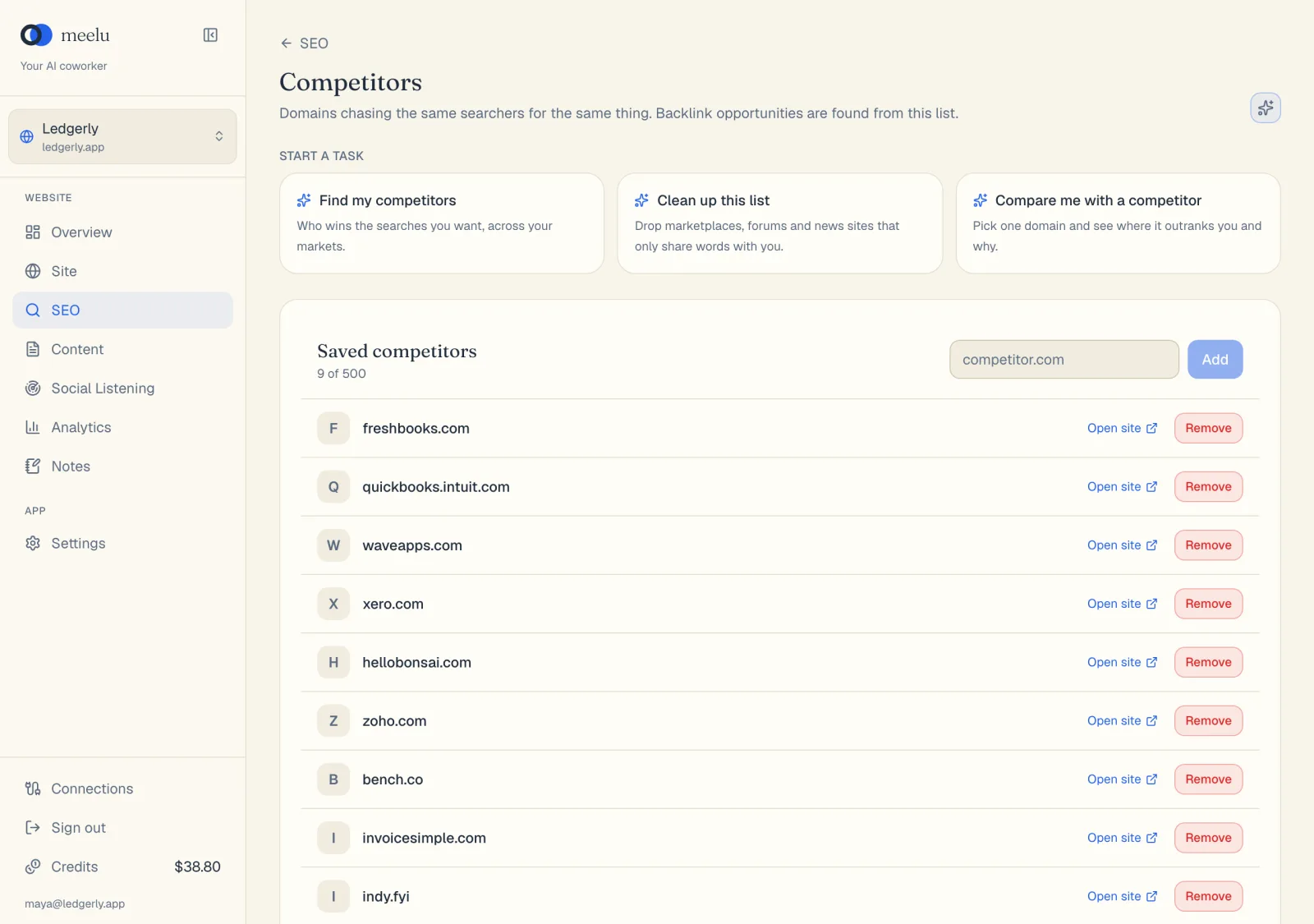
Your search competitors are not always your business competitors. A search competitor is any domain that chases the same searchers for the same thing. The Competitors screen holds your saved list.
The list matters because other parts of the desk use it:
- Keyword clusters show which saved competitors rank for each cluster.
- Backlink opportunities come from your competitors' backlinks.
Open it from the Competitors card on the SEO home screen.
Building the list
Open one of your main keyword clusters and click the Who holds this keyword? task card. Meelu reads a year of Google results for that keyword and names the domains that stayed in the top ten. It says which of them are not saved yet, and saves only the ones you agree with. A domain that holds several of your main keywords is a real rival.
The list holds up to 50 competitors. The count shows under the title. Each row shows the competitor's domain rank, how many genuine backlinks were fetched for it, and when.
What each button does
| Button | What it does |
|---|---|
| Add | Saves the domains typed in the box, with their domain rank. Uses credits. |
| Fetch backlinks / Refetch backlinks | Fetches the competitor's backlinks, keeping only genuine ones, for backlink opportunities. Refetch replaces the ones fetched before. Uses credits. |
| Open site | Opens the competitor's website in a new tab. |
| Remove | Removes the competitor and its backlinks right away. |
| Ask Meelu (sparkle icon) | Opens a task about your competitors. Desktop app only. |
| Task cards under Start a task | Ready-made tasks, listed below. Desktop app only. |
| Task card | What Meelu does |
|---|---|
| Clean up this list | Points out saved domains that only share words with you, such as marketplaces, forums and news sites. Removes them once you agree. |
| Compare me with a competitor | You name one competitor. Meelu shows the searches where it outranks you, which of its pages win them, and what those pages do that yours do not. |
Tips
- Keep the list focused. Five to fifteen real rivals give better gaps and backlink ideas than fifty loose matches.
- Removing a competitor is instant and has no confirmation step. If you add it back, fetch its backlinks again.