Indexation
Check which of your pages Google has indexed, and spot pages Google declines or files under another address.
A page can only get search traffic if Google has it in its index. The Indexation card on the Search performance screen shows Google's verdict on each page Meelu crawled on your site.
The card appears once you have synced Search Console and Meelu has crawled your site.
Reading the bar
The coloured bar splits your crawled pages by their status. The legend under it gives the count for each:
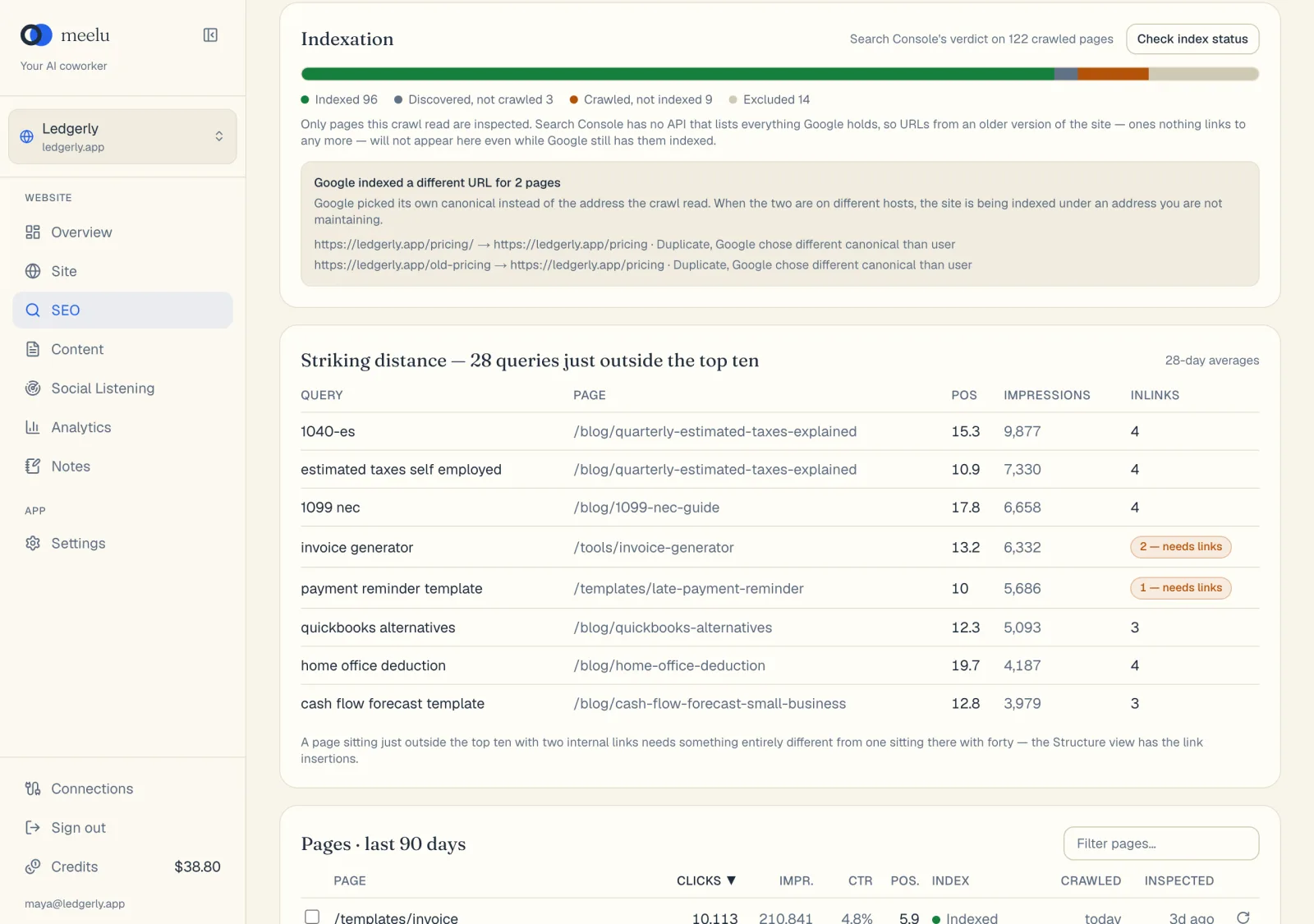
- 1Check index status asks Google about your pages
| Status | What it means | What to do |
|---|---|---|
| Indexed | Google holds the page and can show it. | Nothing. This is the goal. |
| Discovered, not crawled | Google knows the address but has not visited yet. | Often fine on new pages. If it lasts, link to the page from your important pages. |
| Crawled, not indexed | Google visited the page and chose not to keep it. | Usually a content-quality signal. Improve, merge or remove thin pages. |
| Excluded | Google left the page out on purpose, for example because of a noindex tag or a duplicate. | Check that this is what you want. |
| Blocked | Something stops Google reading the page. | Check robots rules and access. Raise it on the Site desk. |
| Unknown to Google | Google has no record of this address. | Make sure it is in your sitemap and linked from other pages. |
| Unknown | Search Console gave no clear answer. | Check again later. |
| Not checked yet | Meelu has not asked Search Console about this page. | Click Check index status. |
The text next to the title says how many pages are not inspected yet.
Only crawled pages are checked
Meelu checks the pages its crawl found. Search Console cannot list every address Google holds. Old pages that nothing links to any more will not appear here, even if Google still has them indexed.
Google indexed a different URL
Sometimes Google picks its own main address (its "canonical") for a page instead of the one you serve. When this happens, a box lists each page and the address Google chose. An address in red is on a different host, for example http:// instead of https://, or without www. That means Google is indexing your site under an address you are not maintaining. Fix this first, because it affects every page involved.
In the Pages table, the same problem shows as a red ≠ next to the index status.
Content-quality warning
If 10 or more pages are crawled but not indexed, and that is a large share compared with your indexed pages, a yellow box appears. It says this is a content-quality verdict, not a technical bug. Google is telling you it does not want more pages like these. Publishing more of the same will not help. Improve or combine what you have first.
What each button does
| Button | What it does |
|---|---|
| Check index status | Asks Search Console about every crawled page that has never been checked. The button shows Checking X of Y… while it works. Desktop app only. |
| Circular arrow on a row in the Pages table | Re-checks one page now, for example after you fixed it. Desktop app only. |
Each sync also checks a batch of unchecked pages on its own, so the bar fills in over time.
To ask Meelu which pages are missing from the index and why, use the Where am I invisible? prompt from the Ask Meelu button on the Search performance screen.