Asking the Site desk
Ask Meelu questions about your site, and use the ready-made prompts on each Site desk screen.
On the main Site, Pages, Internal links and Technical SEO screens there is an Ask Meelu button with a sparkle icon, at the top right. Click it to open a task panel where you chat with Meelu about your site. Meelu reads the pages it has crawled and answers with links to the pages it is talking about.
For how the task panel works in general, see Working with the agent. To tell Meelu something once so it remembers it for every task, use Notes.
How to ask
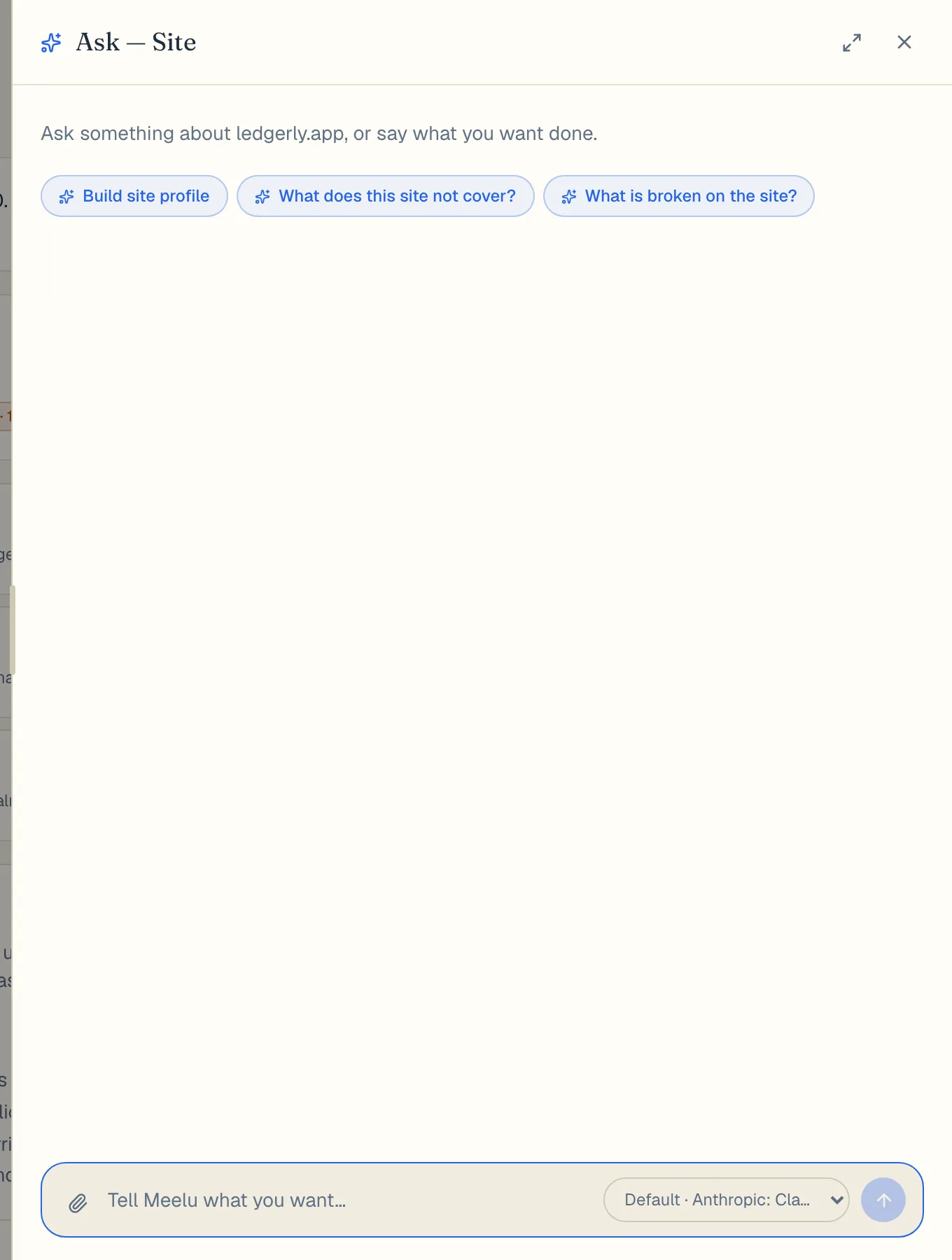
- 1Prompt chips: ready-made tasks for this desk
- 2Type your own request
- 3Pick the AI model for this task
Click Ask Meelu
Click the sparkle icon at the top right of the screen you are on. The panel opens with a short hint about what you can ask there.
Pick a prompt or type your own
Click one of the ready-made prompts under the hint, or type your question in Tell Meelu what you want….
Read the answer and decide
Meelu answers with evidence: the pages, passages or checks it based the answer on. You decide what to do next.
Each screen asks Meelu with the context of that screen. On Pages, if you typed a search, Meelu sees your search too. On Technical SEO, Meelu knows which tab you are on and whether you are looking at open or turned-down checks.
Ready-made prompts on each screen
Site (main screen)
| Prompt | What Meelu does |
|---|---|
| Build site profile | Writes down what your business is, from what your pages say. Says what the site covers well, what it covers thinly and what it never mentions. It does not invent products or prices. It saves the summary only after you agree. |
| What does this site not cover? | Names topics a visitor would expect and finds nothing on, with the passage that came closest for each. It says plainly where the crawl is incomplete, instead of calling a missing page a gap. |
| What is broken on the site? | Says what is wrong, keeping pages that are gone (404 or 410) apart from pages that refused Meelu or did not answer. For each broken page, it says which pages link to it, so you know what to fix. |
Pages
| Prompt | What Meelu does |
|---|---|
| Is this already covered? | You name a topic. Meelu says whether your site covers it, half covers it or does not cover it, and quotes the closest passages. Use this before you write a new page, so you do not duplicate one you have. |
| What does this site not cover? | Same as on the main screen. |
| What is broken on the site? | Same as on the main screen. |
| Which pages are thin? | Finds pages with almost no content. For the ones that matter, it says whether to write them out, merge them into a page that already covers the topic, or drop them. |
Internal links
On the Internal links screen, the button is called Find links — Internal links. The prompts are the same link and pillar strategies shown as cards on the Link suggestions and Pillar pages tabs. You can also write your own. The suggestions Meelu finds land on the Internal links screen for you to review. See Internal links.
Technical SEO
| Prompt | What Meelu does |
|---|---|
| What should I fix first? | Orders the open checks by what each problem actually costs your site, not by how many pages it touches. Names the pages behind each one, and says which are cosmetic so you can turn them down. |
| Explain this check | You name a check. Meelu reads the pages it flagged, then explains what it measures, why it matters on your site and what a fix would look like. |
| What do crawlers miss without JavaScript? | Reads the desktop and mobile rendering results. Says which pages only show content, links or tags after JavaScript runs, what differs between desktop and mobile, and what an AI crawler that never runs scripts actually sees. If a device has not been rendered yet, it tells you to run it first. |
| What is broken on the site? | Same as on the main screen. |
| What is missing from the sitemap? | Lists pages found by following links that your sitemap does not list, and sitemap entries that are dead. Says which unlisted pages are worth listing and which should not be in search at all. |
Good questions to ask
You are not limited to the ready-made prompts. Some ideas:
- "Which of my product pages have no meta description?"
- "Do I already have a page about returns for international orders?"
- "Which blog posts link to the pricing page, and with what link text?"
- "Explain the
js-only-contentcheck on my site in plain words."
Meelu suggests, you decide
Meelu answers, points at evidence and suggests what to do. It does not change your website. When an answer suggests a fix, you make it on your site yourself.
Asking Meelu runs an AI model, which can use credits. See Credits.